
Purchase links may earn us a commission at no extra cost to you. Our assessment is based on documented capabilities and purchase checks, not promised customer outcomes. Our editorial approach.
A good buying decision starts with the allowance, not the animation. ProfitMaps AI's vendor-described workflow connects geographic scans, planning and client presentation, but the advertised entry amount alone does not explain every operating requirement. These answers distinguish documented observations from questions still requiring a live license or vendor response.
The public release is advertised for October 21, 2026 at 11 AM EDT. This guide is checked October 12 and does not claim a completed customer-account trial. Start with Launch Review Lab's product-scope assessment if you need the broad review; use the questions below when checking whether a specific license is suitable.
Prepare a Short Trial Brief
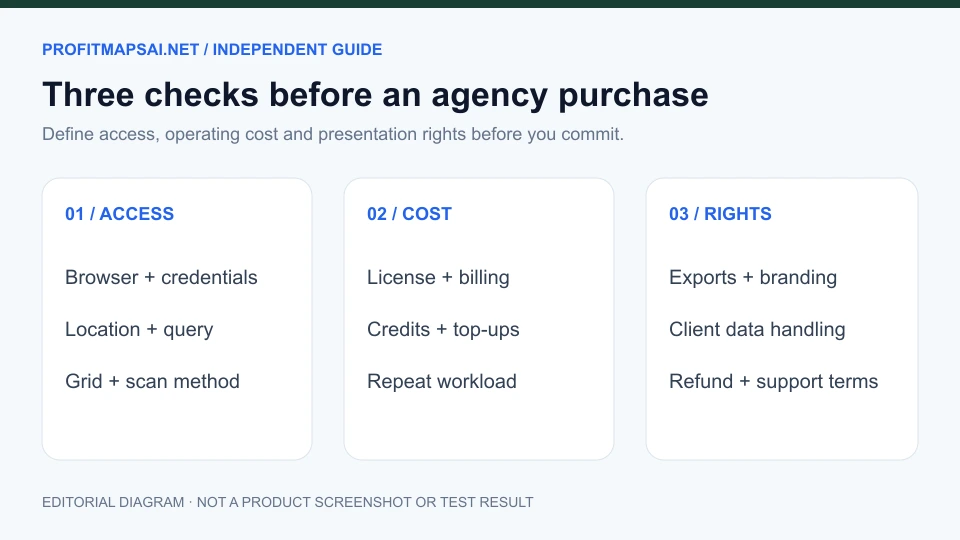
Before purchase, name one business, one service query, a realistic service area and one report requirement. Decide what a usable output should contain and how much reviewing time is acceptable. This brief makes it easier to evaluate the product without being distracted by capabilities that your current work does not need.
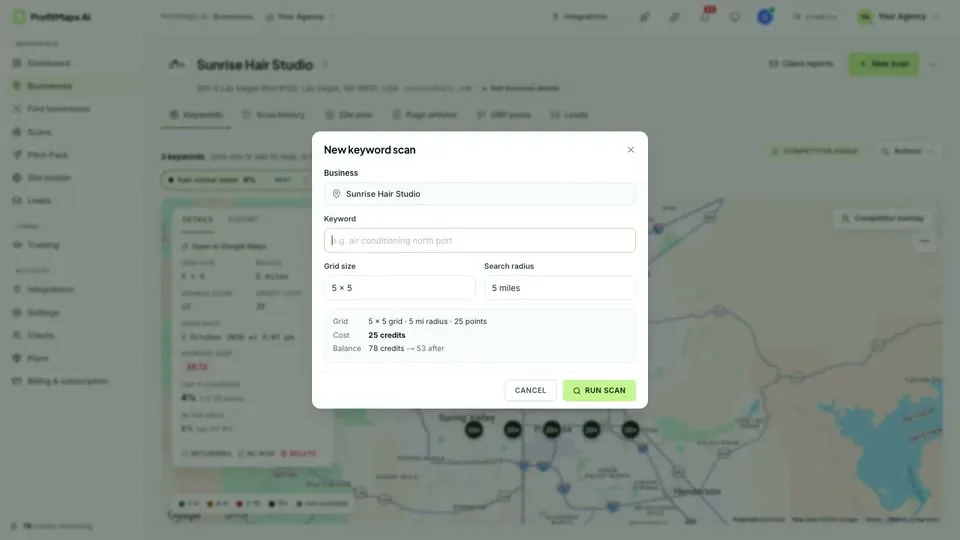
Keep business identity and scan settings recorded. A pretty heatmap is difficult to interpret when you cannot tell which query, geographic extent or date produced it. If the license does not support a necessary export, branding permission or recurring data workload, a low entry price will not resolve the mismatch.
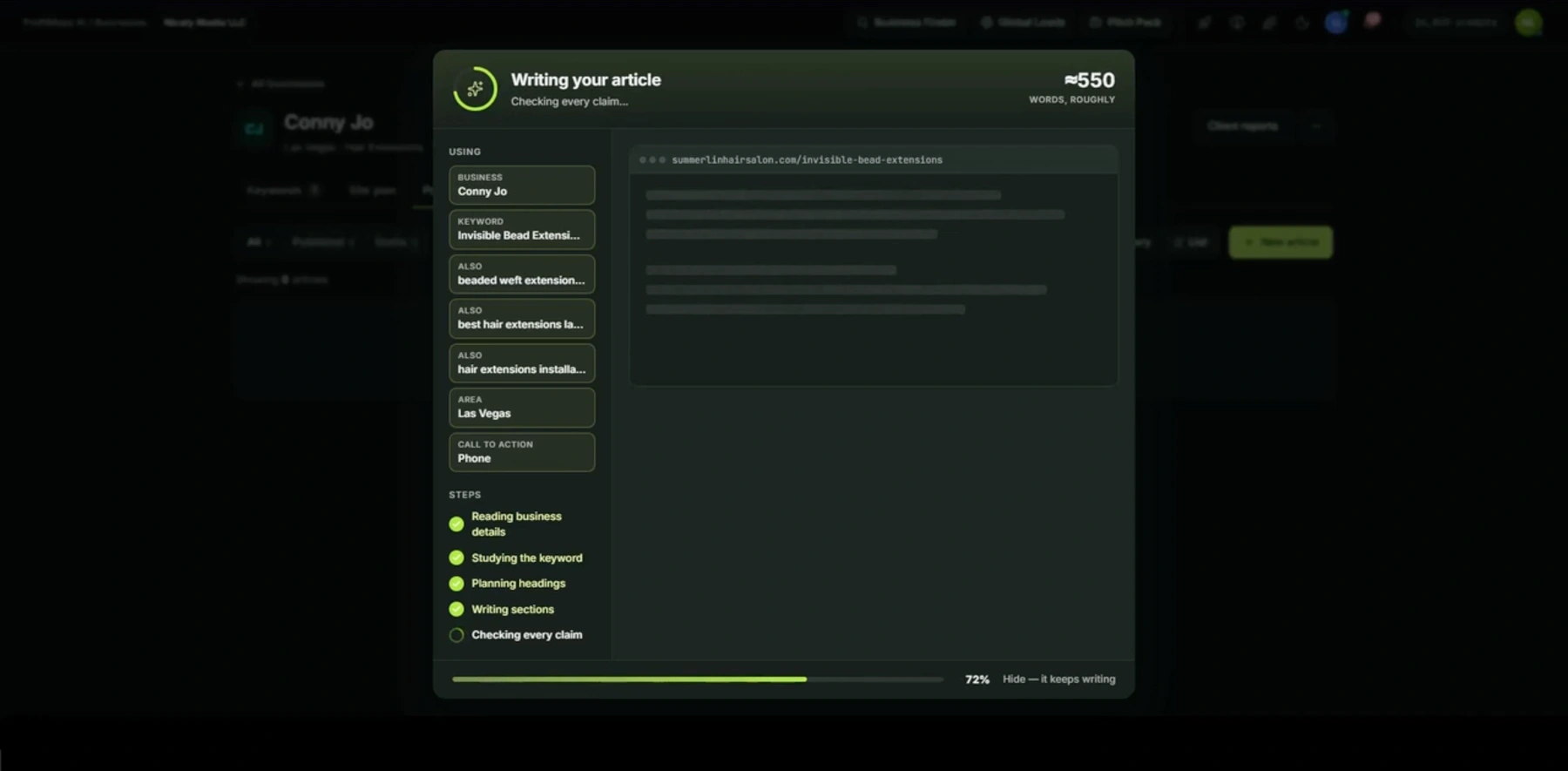
The vendor video also shows an article-generation dialog using business details, keywords, a location and a call-to-action setting. Its “checking every claim” status is an interface label, not independent confirmation that generated copy is accurate; review the finished draft and its factual claims before publishing.
A Practical Decision Tree
| Your next question | Useful action | When to wait |
|---|---|---|
| Can I explain and fulfill local SEO work? | Define a small diagnostic task and deliverable | You expect software to perform the entire service |
| Does the license fit my client roster? | Check customers, keywords, credits and repeats | Required usage costs remain undefined |
| Can I present the output professionally? | Inspect sample exports and branding rights | Basic/Pro report entitlements are unclear |
| Do I need prospect discovery? | Compare reviewed suitable leads, not list size | You do not yet know the target niche or offer |
| Can I accept the commercial terms? | Save billing, renewal and refund conditions | Important conditions remain unresolved |
For the purchase paths, use the pricing and upgrade breakdown. For a concrete proposed dental-agency trial, use the honest workflow-fit review. The independent ProfitMapsAI.net publication is our main overview, not the official vendor documentation portal.
Questions to Send the Vendor
Request the exact license name, billing frequency, included scan allowance, credit reset/expiry rules and top-up prices. Ask whether the buyer supplies credentials or a separately billed service, which report formats are included, and whether client branding or attribution removal requires Pro. Ask who owns generated websites and what export or handover options exist.
Keep the answers with the purchase terms instead of relying on a live chat summary from memory. Product features, usage rights and refund execution are different questions. A recorded interface can establish that a setting was demonstrated without resolving every buyer permission.
If the vendor confirms that your own Google Cloud project is required, check Google's Places API usage and billing documentation for the relevant service's charging rules. This reference is not evidence that ProfitMaps AI requires that API or supplies a specific allowance.
For a wider comparison, read the ProfitMaps AI vs LeadsGorilla guide. For the evidence behind the provisional score, consult our parent publication's ProfitMaps AI review.
Frequently Asked Questions
1. Is ProfitMaps AI a one-time payment or a monthly subscription?
The inspected launch specifications advertise a $37 Basic entry but do not establish its billing frequency. Read the live order's payment schedule and any renewal conditions before purchase. Even a confirmed one-time license would not establish unlimited scans, permanent hosting or free additional data.
2. Do I need my own Google Cloud or Places API billing account?
The public material inspected here does not confirm whether buyers must supply a Google Cloud project or a personally billed API key. Ask whether the product handles data access, requires your credentials or uses a separate provider. If you must operate your own Places API project, consult Google's usage-and-billing documentation and configure the relevant budget and permissions; do not infer that requirement from a map screenshot.
3. How does local proximity affect grid rank tracking?
Distance between the searcher and a business can affect local results, alongside relevance and prominence. A grid samples locations instead of assuming the rank at the office holds across the entire service area. The pattern is not a guaranteed linear decline with distance, so interpret the query, competition and measurement settings together.
4. Can I add my own agency logo to exported reports?
The vendor demonstration shows company branding and removal of software attribution as Pro settings, with references to PDF and client-report outputs. Confirm that the exact license includes the desired export and branding rights. A demonstrated feature does not establish that every Basic purchase includes complete white-label presentation.
5. What are the daily or monthly Front-End scan limits?
Basic is advertised for 10 customers, two keywords per customer and 10 generated websites. Those caps do not establish a daily scan count or monthly data allowance. Ask about included credits, per-action consumption, resets, expiry and top-ups before promising recurring monitoring to clients.
6. Can it track businesses outside the US and UK?
Complete country, language and query coverage is not established by the inspected disclosures. Confirm support for the specific location, business listing and language you need, including how diacritics and local categories are handled. Validate an appropriate sample rather than interpreting “local business” as an unrestricted international guarantee.
7. Is there a confirmed 30-day refund policy?
The current vendor launch FAQ says refund details are coming soon. We cannot confirm a 30-day period, eligibility rules or a successfully tested refund procedure for ProfitMaps AI. Obtain the applicable terms before paying, save the order details and use the stated vendor request channel if a later purchase qualifies.
8. Can beginners use it without local SEO experience?
A guided interface may reduce setup work, but interpreting a ranking pattern and recommending implementation still require knowledge. A beginner should first learn how to identify the correct listing, choose a relevant query and explain measurement limitations. The tool does not supply the skills to fulfill every service an agency might sell.
9. What is the difference between single-pin and geo-grid tracking?
A single-pin check observes a result from one chosen location. A grid samples several locations around a recorded center and extent, making geographic differences easier to inspect. Neither approach independently establishes lost revenue, future rankings or the cause of every weak position.
10. Can I create shareable links for client presentations?
The recorded report settings reference share pages and client-report delivery. Check whether the purchased tier supports the intended sharing method, access controls and branding. Test whether a link exposes client details publicly and confirm the retention or deletion options before using it with confidential work.
11. Is ProfitMaps AI browser-based or installed on a desktop?
The vendor demonstration shows a browser-based application workflow. That does not establish support for every browser, mobile device or corporate environment. Confirm account access, supported browsers and export options; do not assume the product functions offline simply because it generates documents.
12. How accurate is extracted business contact data?
No independently measured accuracy rate is established in this guide. Manually validate a representative sample for active business status, correct location, suitable contact route and relevance to your service. A proprietary score or an exported list is not proof that every record is current or appropriate for outreach.
13. Will running scans trigger Google IP blocks or CAPTCHAs?
The product's exact data-delivery and retry method is not established in the inspected public material, so a blanket safety guarantee would be unsupported. Ask the vendor about supported access methods, rate limits, failures and handling of unavailable results. Do not attempt to bypass platform restrictions or assume a product badge establishes platform approval.
14. Are future updates included in the launch license?
Update entitlement, support duration and ongoing service availability require written confirmation for the exact offer. A single upfront amount does not prove lifetime maintenance, unlimited data or continued access to every new capability. Ask what remains available if the service changes and whether reports or sites can be exported.
15. How should I compare it with BrightLocal or Whitespark?
Start with the required job: ongoing measurement, local reporting, citation-related work, prospect discovery or proposal preparation. Compare the exact location capacity, recurring allowance, report permissions and total cost for each chosen plan. An established product is not automatically obsolete, and ProfitMaps AI's low advertised entry is not proof of a lower operating cost for the same workload.
Final Buying Checklist
Before paying, you should be able to name the license, its required operating costs, the output you intend to produce and the conditions under which you would decline it. If credits, report rights or commercial terms remain essential unknowns, obtain clarification first. Use a measured trial to answer an operational question, not to manufacture a testimonial.